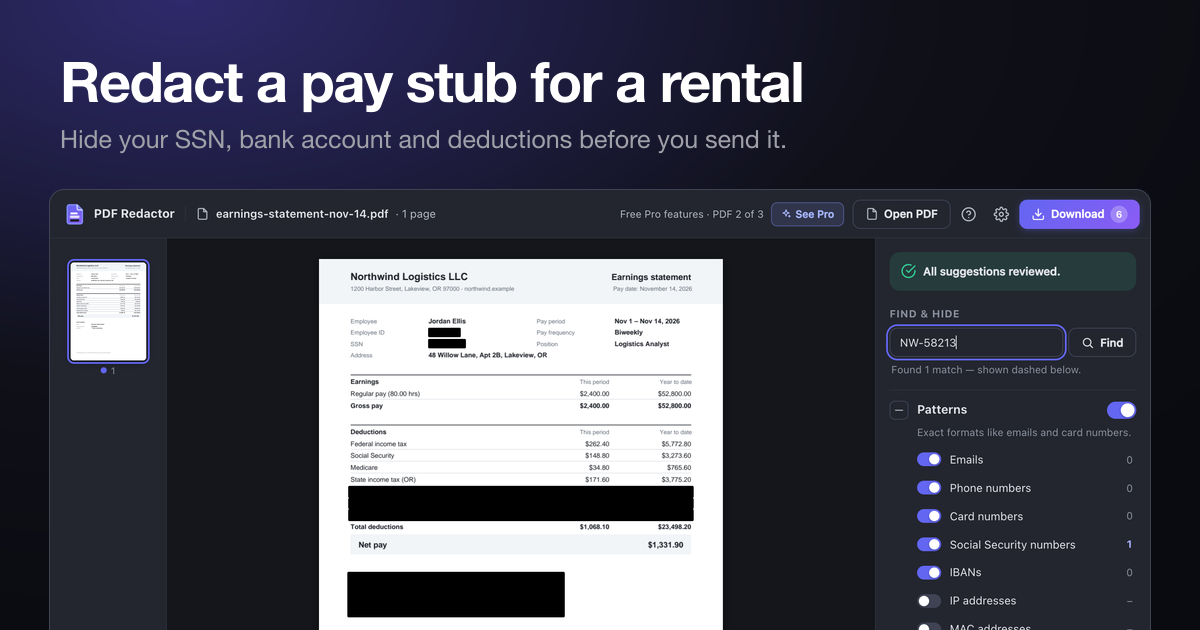
Guide
How to redact a pay stub in Canada (hide your SIN)
Short answer
- Keep your name, employer, pay period, gross pay, net pay and year-to-date earnings visible.
- Black out your SIN, employee number, bank details and personal deduction lines.
- Use a tool that deletes the text. A box drawn on top can be copied out from underneath.
On this page
You’ve found an apartment you like and the property manager has sent a short list: an application form, a credit check consent, and “your two most recent pay stubs”. You open the PDF from your payroll portal and look at it the way a stranger would. Your income is there, which is the point. So is your home address, your employee number, your bank’s transit and account number from the direct deposit, every deduction your employer takes, and on some stubs your Social Insurance Number.
The landlord needs a few of those lines. You can take out most of the rest before you send it.
What a landlord actually needs from a pay stub
A pay stub is income proof. The person reading it wants to know three things: that you have a job, roughly what it pays, and that the pay is steady. That comes down to:
- Your name, matching the application.
- Your employer’s name, so they can call to confirm if they want to.
- The pay period and pay date, to show the stub is recent.
- Gross pay and net pay for the period.
- Year-to-date earnings, if your stub shows them. They make a steady income easy to see at a glance.
In Ontario, the rules on this are written down. Under the Human Rights Code’s regulation on tenant screening (O. Reg. 290/98), a landlord can ask for income information only if they also ask for things like credit references and rental history. The Ontario Human Rights Commission says that income information should be used to confirm you can afford the rent, not to screen people out by a fixed rent-to-income ratio. Other provinces have their own rules, but the same idea holds up well anywhere: they need to see your income, not your whole payroll file.
What you can usually black out
| Keep visible | Usually safe to hide |
|---|---|
| Your name | Social Insurance Number |
| Employer name | Employee number |
| Pay period and pay date | Bank transit, institution and account number |
| Gross pay | Individual deduction lines (union dues, benefits, pension or RRSP, garnishments) |
| Net pay | Your home address, if the landlord doesn’t need it |
| Year-to-date earnings |
A few notes on that list.
Your SIN. The Canadian Payroll Association advises employers not to print the SIN on pay statements at all, and many don’t. Some still do, and your T4 always carries it in full, so look before you send either. The Office of the Privacy Commissioner of Canada says landlords shouldn’t ask for it, and a credit check can generally be run with your name, address and date of birth instead. If the application form itself asks for your SIN, you can leave it blank and offer those instead.
Deductions. Standard ones like income tax, CPP and EI (or QPP and QPIP in Quebec) don’t say much about you, and leaving them visible is fine. The lines that can say a lot are the optional or personal ones: union dues, the tier of your benefits plan, a wage garnishment, a support order. If you hide those lines, leave the total deductions line visible so gross and net still add up.
Your address. If it’s the same as on your application, leaving it is harmless. If you’re applying from a shared or temporary address and would rather not show it, it can go. Some landlords compare the address on your documents with your application, so be ready to explain.
Don’t change any numbers. Hiding a line is fine. Editing a figure, or covering part of a number so a different number shows, turns income proof into a fake document. Landlords and screening companies look for exactly that.
Why a black rectangle isn’t enough
The quickest way to “black out” a PDF is to draw a filled box over the line in Preview, Edge or a free PDF editor. The box is real, but so is the text under it. Anyone who opens your file can select the area, copy it and paste your SIN into an email. Some editors also keep earlier versions of the page inside the file, along with details like the author name.
Real redaction deletes the text under the box, so there is nothing to copy.
How to redact your pay stub with PDF Redactor
PDF Redactor works in Chrome or Edge, and the file never leaves your computer. There’s no account to create. Everything below is in the free version.
- Open the stub. Click the PDF Redactor icon and drop in the PDF from your payroll portal. Phone numbers and email addresses are outlined as suggestions straight away. On a typical Canadian stub there may be none: nothing on it is in a format PDF Redactor looks for on its own.
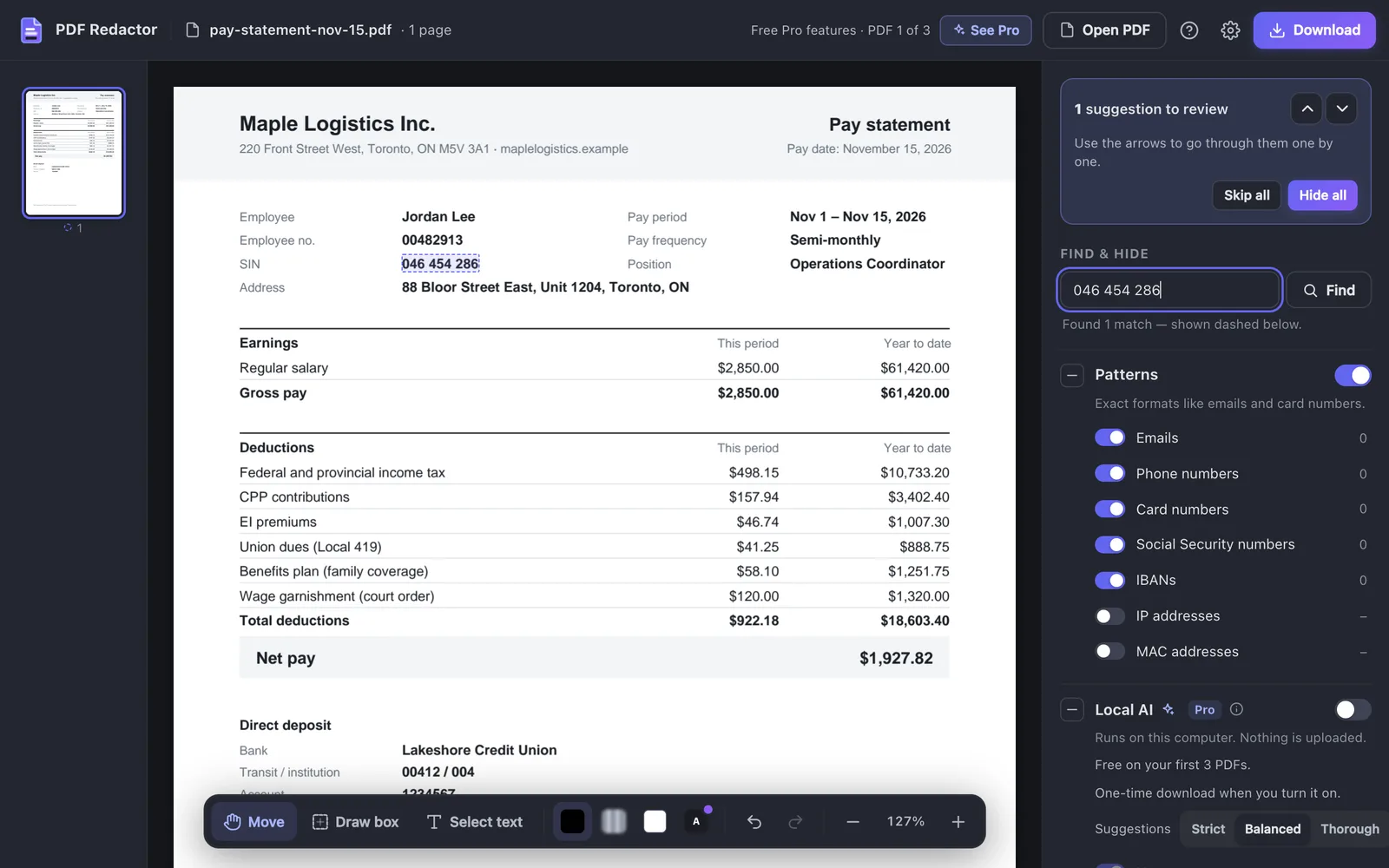
- Find your SIN. Type it into the Find & hide box exactly as it’s printed,
with the same spaces or dashes (for example
046 454 286), and click Find. Every copy in the document is outlined, including one in a header or footer. Click Hide all to hide them.
- Do the same for your employee number and your bank account number. If the direct deposit details sit together in one block, it’s quicker to use Draw box and drag a single box over the whole block.
- Hide the deduction lines you chose. Use Select text to pick out the lines, or Draw box if they’re laid out as a table. Leave the totals visible.
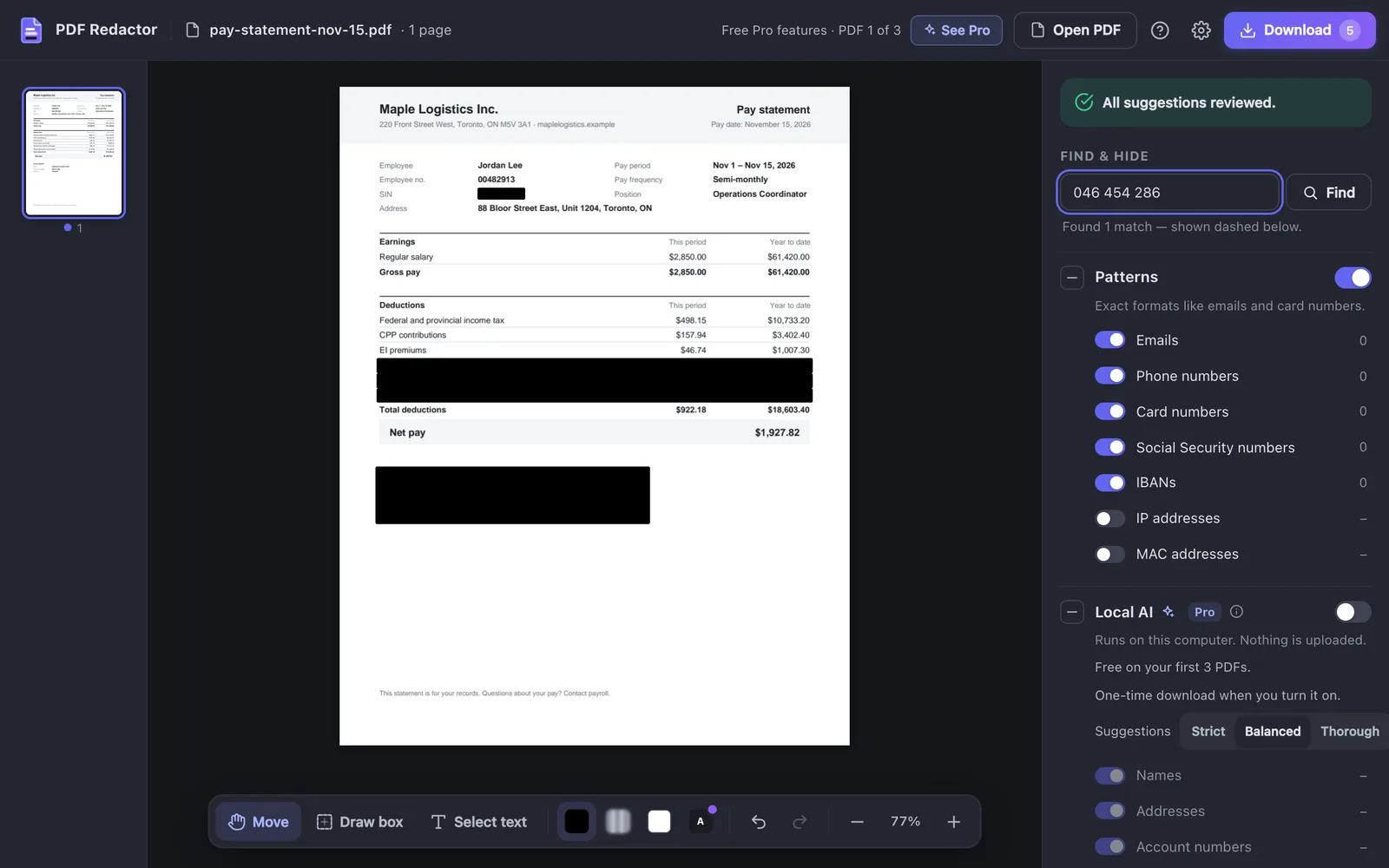
- Check every page, then download. Leave Remove hidden info on (it is by default) so the author, comments and other details are taken out of the copy. After saving, PDF Redactor searches the new file for every word you removed and tells you if anything can still be found.
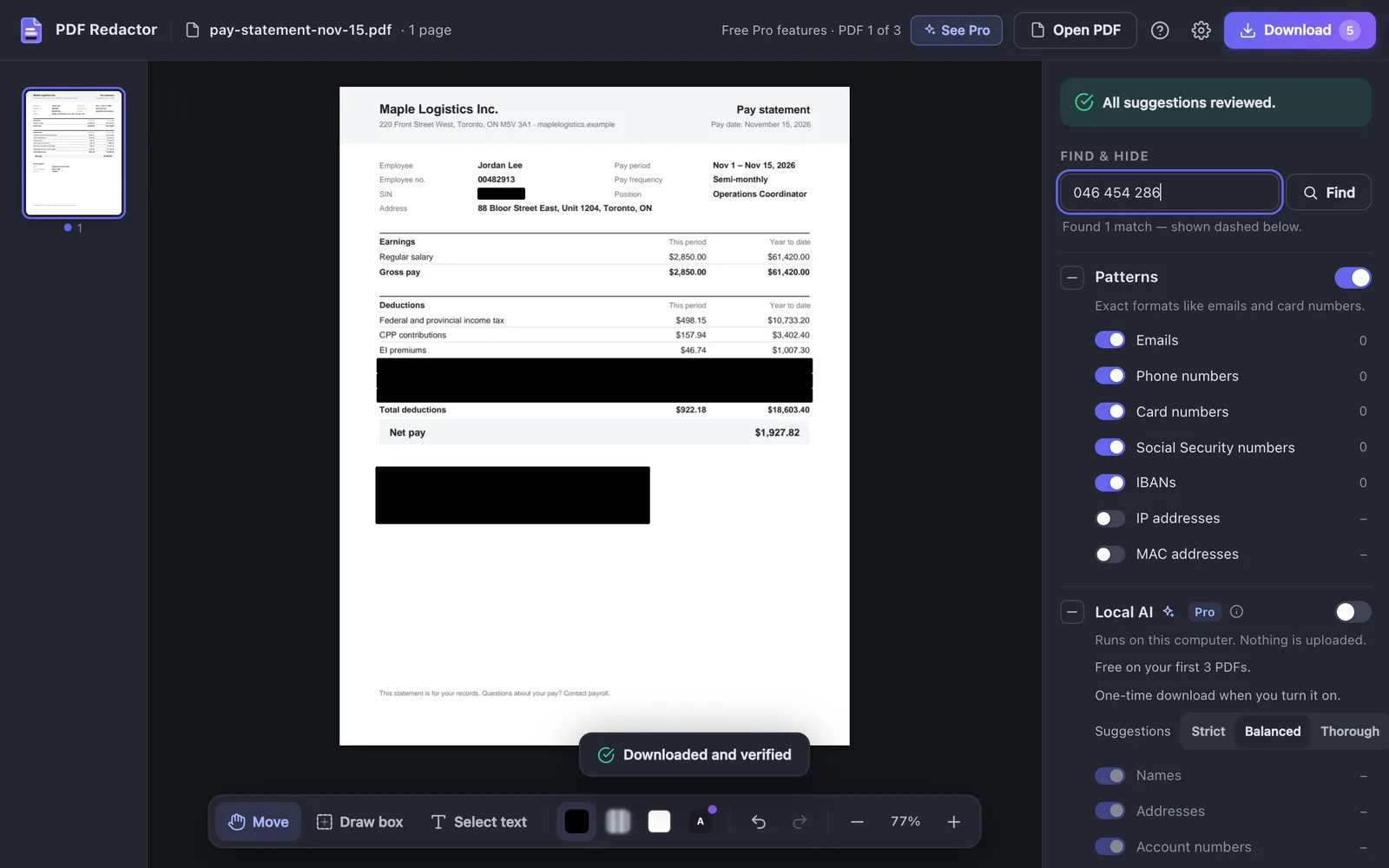
Your original stays untouched, so you can make a different version for a different landlord.
If your employer gave you a paper stub and you’ve scanned or photographed it, Draw box still works: the area is painted out of the page image itself. With Pro, Scanned text reads the printed text on the scan so Find words can search it too, and Local AI finds names, addresses and account numbers for you. Both are free on your first 3 PDFs. Give scanned pages a quick look before you send them.
Before you hit send
Open the downloaded copy, press Ctrl+F (or ⌘F) and search for your SIN and your account number. If nothing comes up, you’re done. If the landlord comes back asking for something you hid, you can decide then whether to send it, or offer an employment letter instead.
Sending a US pay stub? The fields and the law are different there; see the US version. If you share client records on video calls, we’ve also written about keeping SINs off your shared screen.
This post explains general practice and isn’t legal advice. Rules on what landlords can ask for differ between provinces.
Sources
- O. Reg. 290/98: Business practices permissible to landlords in selecting prospective tenants, Government of Ontario
- Minimum income criteria, Ontario Human Rights Commission
- Privacy in the landlord and tenant relationship, Office of the Privacy Commissioner of Canada
- Best practices for pay statements, Canadian HR Reporter (Canadian Payroll Association guidance)
Questions
Can a landlord in Canada ask for my SIN?
They can ask, but you don't have to give it. The Privacy Commissioner of Canada says landlords shouldn't ask for it, and a credit check can generally be run with your name, address and date of birth.
Is it legal to black out parts of my pay stub?
Hiding lines a landlord doesn't need is fine. Changing any number is not: that turns the stub into a fake document.
What if my landlord asks for the parts I hid?
You can decide then whether to send them, or offer an employment letter from your employer instead.