

 Brave, Comet
A black box on top is not a redaction
Four ways private data survives in a PDF that looks redacted.
- Copy and paste A box drawn over text leaves the text in the file. Select it, paste it, read it.
- Earlier versions PDFs can keep past edits inside the file, including the text you deleted.
- Hidden details Author names, comments, attachments and form values travel with the file.
- Uploading to redact Many online tools send your file to a server first, the thing you wanted to avoid.
What it does
Every tool in the editor, in one line each.
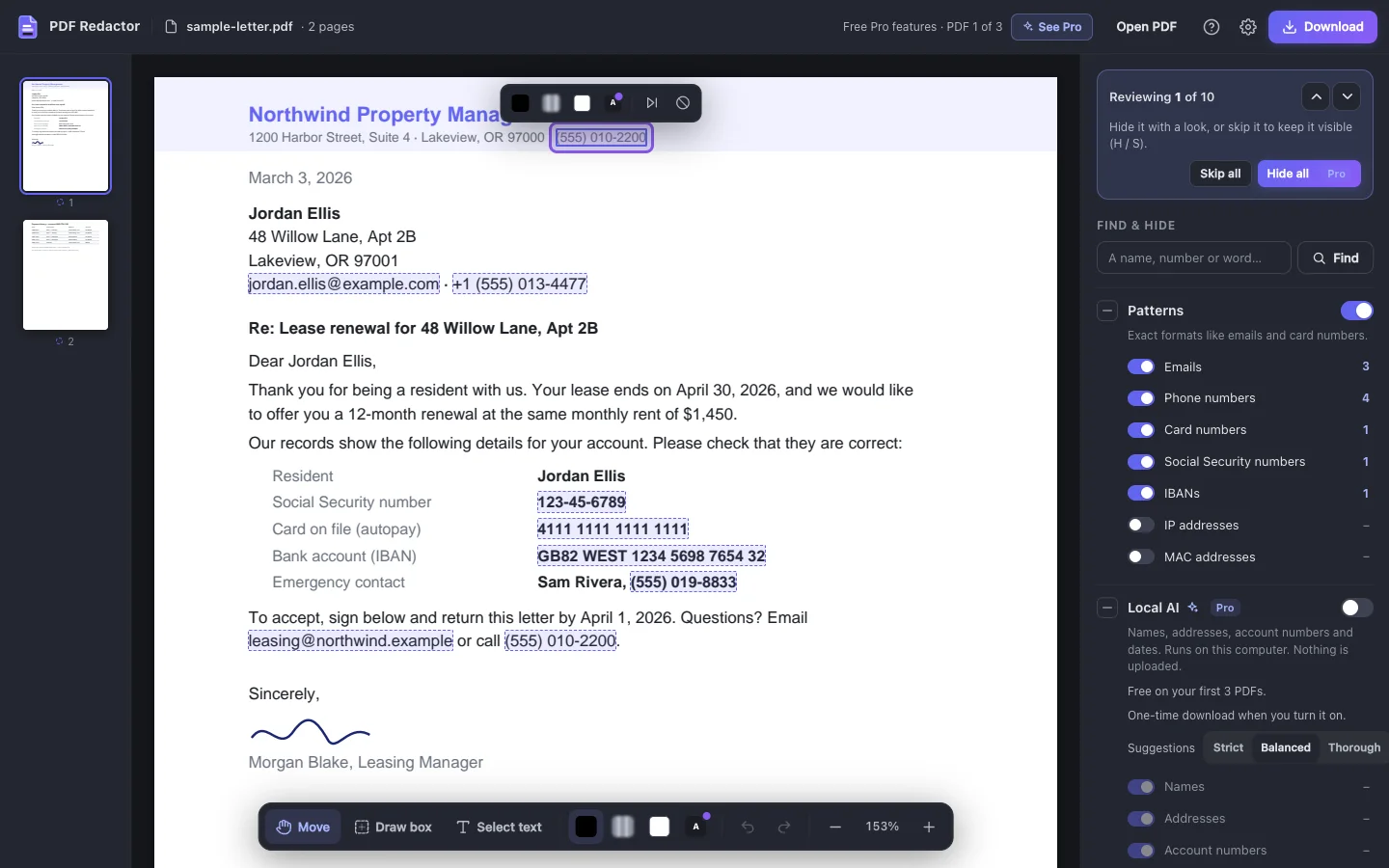
- Finds it for you Emails, phone and card numbers, SSNs and IBANs, marked as the file opens.
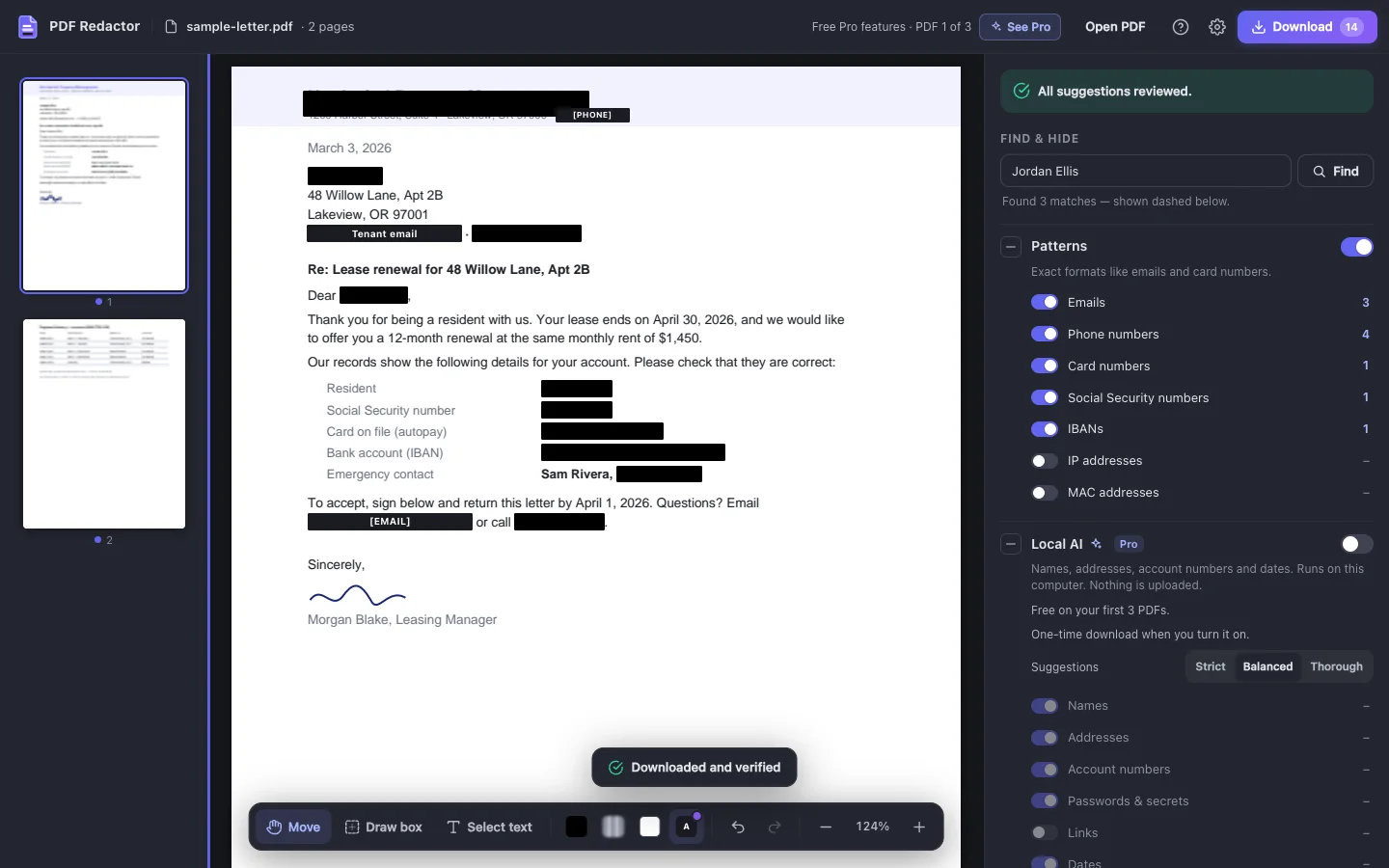
- Find words Type a name or case number and every match in the document is marked.
- Draw or select Drag a box over any area, photos and signatures too, or select text.
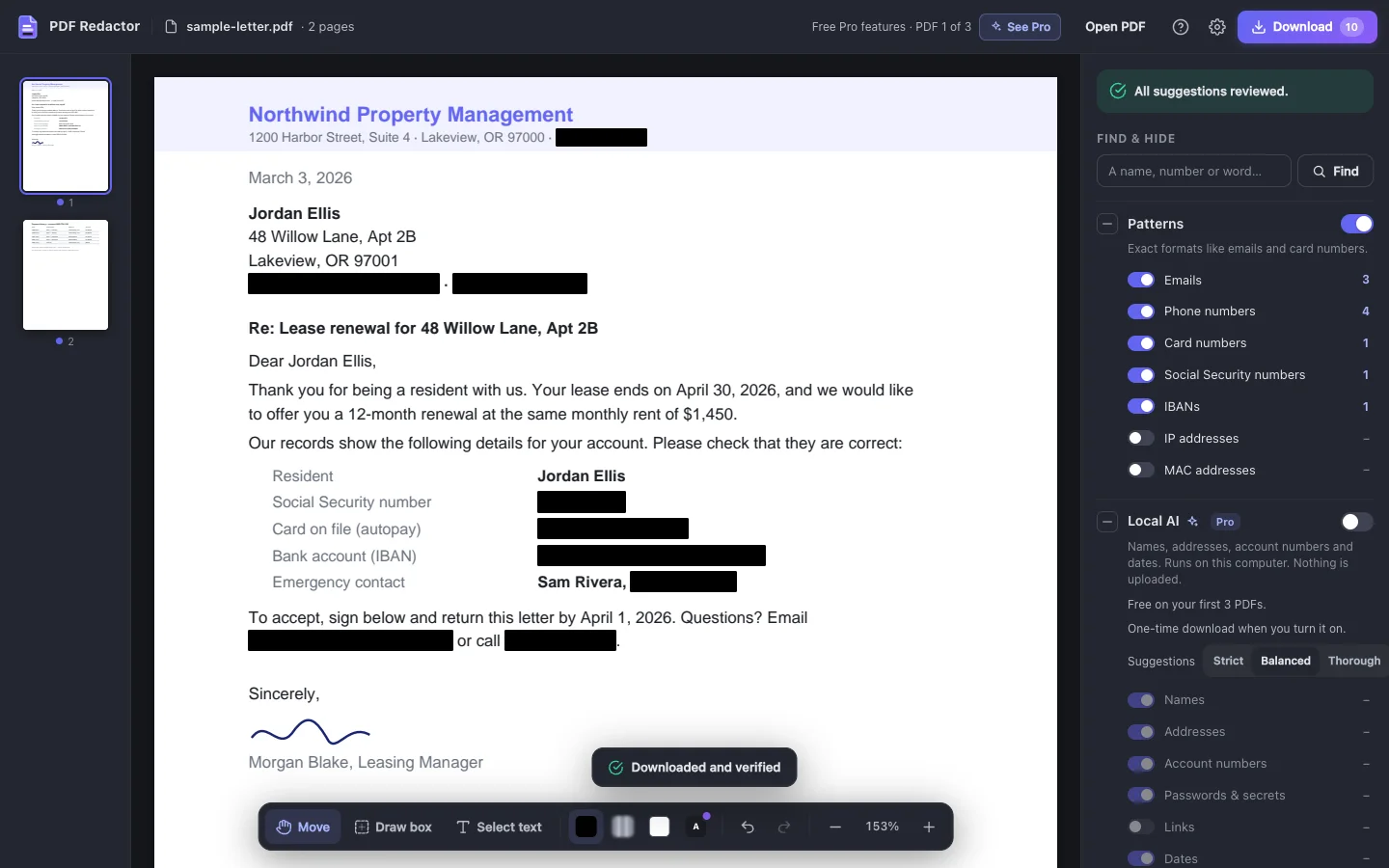
- Really removed Text, images and form values under each box are deleted, not covered.
- Checked before you share The new file is searched for every word you removed.
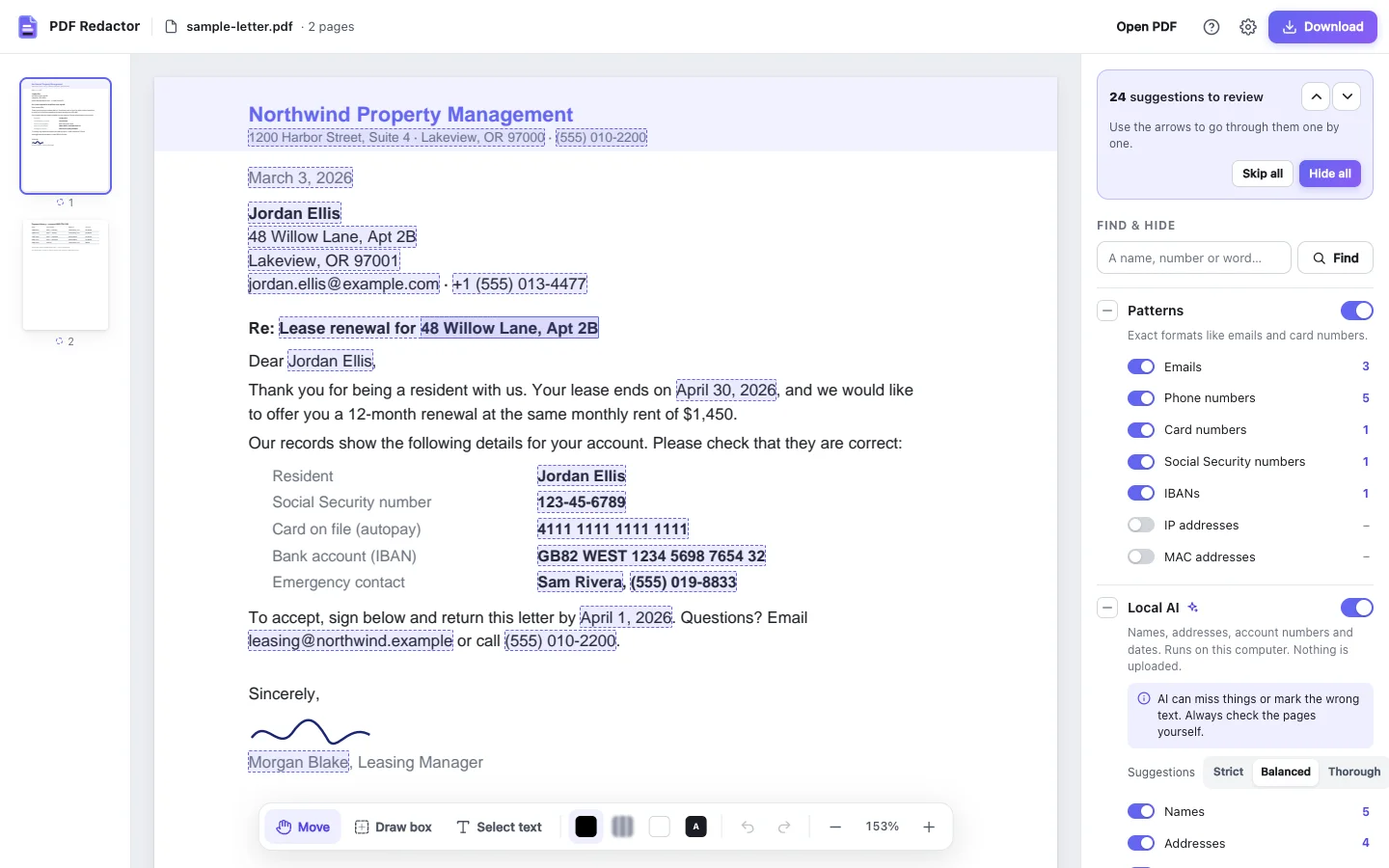
- On-device AI Finds names, addresses and account numbers. Nothing uploaded.
Who it's for
People who send documents with someone else's details in them.
- Legal teams Court filings, discovery, exhibits and contracts, with [NAME] labels if you need them.
- HR and recruiting Employee records and references, and résumés without names for blind hiring.
- Healthcare and clinics Patient details out of letters, lab results and insurance claims before they're sent.
- Finance and accounting Invoices, payroll and tax documents shared without account or card numbers.
- Privacy and records officers Access requests and public records releases, checked before they go out.
- Anyone applying for something Bank statements and pay stubs for a rental, loan or job, with account numbers blacked out.
Against the alternatives
Compared with other PDF redaction tools, on the features that differ.
| Feature | PDF Redactor | Others |
|---|---|---|
| Draw a box over any area | ||
| Find and mark every match of a word | ||
| Finds emails, phone and card numbers for you | Limited support | |
| Text deleted from the file, not just covered | Limited support | |
| Works offline; the file is never uploaded | Limited support | |
| No account or sign-up | Limited support | |
| Removes metadata, comments and attachments | Limited support | |
| Saved file checked for every removed word | Limited support | |
| On-device AI for names and addresses | Limited support |
Limited support = some PDF redaction tools offer this; others do not or support it inconsistently.
Free to use. Pro when you want the rest.
No account either way.
Free
$0forever
- Finds emails, phone and card numbers, SSNs and IBANs
- Find words, draw a box or select text to mark anything else
- Hide each suggestion, or every copy of a word at once
- Black box, blurred and white-out looks
- Removes metadata, comments and attachments
- Every file checked, with no watermark and no file limit
Pro Everything in Free, plus
Every Pro feature is free on your first 3 PDFs. No account, no card.
- Hide every suggestion in one click
- On-device AI for names, addresses and account numbers
- Label boxes like [NAME], or your own text
Pro unlocks in the extension — there is still no account. Plans and prices are shown when you click See Pro. Free and Pro files go through the same removal and checks.
Frequently asked questions
Quick answers about PDF Redactor.
What is PDF Redactor?
PDF Redactor is a Chrome extension that finds private information in PDF files, such as emails, phone numbers and card numbers, lets you mark anything else, and permanently removes it from a new copy of the file. Everything happens on your computer.
How do I redact a PDF for free?
Open it in PDF Redactor, click each dashed suggestion (or press H), drag a box over anything else and download. Hiding items one by one, Find words, Draw box, Select text and the black, blurred and white-out looks are free on every PDF.
Can someone copy the text under the black box?
No. The text is deleted from the new file, not covered by a shape. Before you share it, the new file is searched to make sure none of the removed words can be found.
Is my PDF uploaded anywhere?
No. It's opened, edited and saved in your browser, and it works with no internet connection. See the privacy policy linked on this page for full details.
What counts as one of my 3 free Pro PDFs?
A PDF counts the first time you download its redacted copy. Opening a file to look at it costs nothing, and downloading the same open file again doesn't count twice. After your 3 free PDFs, every free feature keeps working on as many files as you like.
How do I remove metadata from a PDF?
Leave "Remove hidden info" on when you download (it's on by default). The author, title, XMP metadata, comments, attachments, scripts and bookmarks are taken out of the new file.
Can I redact scanned or password-protected PDFs?
Yes. On scanned pages, drag a box over anything you want gone and it's painted out of the page image; automatic finding needs PDFs with real text. For a protected PDF, type its password when asked. The redacted copy is saved without a password.
Does it find everything automatically?
No tool can promise that. Suggestions catch the common items quickly; always look through each page before you download, and use Find words and Draw box for anything specific to your document.
Ready to redact your PDF?
Install PDF Redactor in seconds. Free, offline, no account needed.